


FOR PRODUCT LEADS AND FOUNDERS

Spend your time building the product, not reporting on it.

Your roadmap, briefs, estimates, and status in one connected plan, not scattered across five apps. When leadership asks where things stand, the answer is already built.

▶Watch it come togetherAn 85-second tour of the product
ROADMAPS · BRIEFS · FORECASTS · SLIDESSCROLL TO SEE WHY ↓
01 / ONE PLAN, MANY AUDIENCES

Everyone needs a clear view
of the plan.

Leadership wants to see where things stand. Stakeholders want the roadmap, the timeline, the brief behind a decision. Today that picture comes together across spreadsheets, decks, docs, wikis, and ticket tools, and each view gets built on its own.

Vantage keeps it in one connected place, so the view each person needs is ready when they ask.

02 / ONE PLACE, EVERY VIEW

One connected plan.
Every view comes from it.

WHERE YOU THINKYour connected plan

Ideas, priorities, briefs, estimates, and dependencies.

WORKING VIEWS / BIG PICTURETree & roadmap
WORKING VIEWS / DETAILSOutline & feature briefs
EXPLORE / COMPAREForecasts & scenarios
EXPORT / SHARESlides & documents

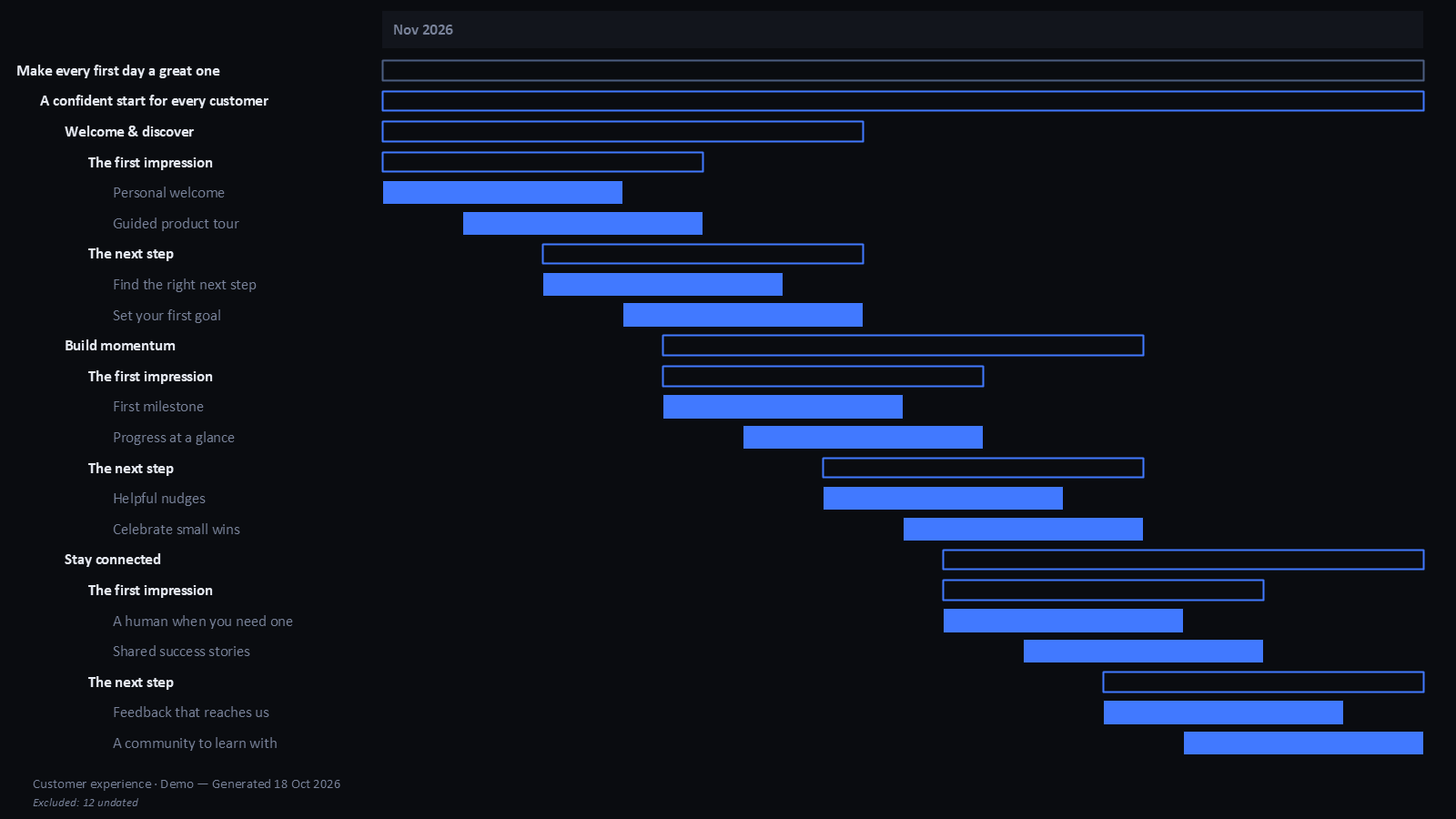
The tree, the roadmap, the forecast, and the slides are all drawn from that same plan, so they stay in step when it changes.

THE TOURONE PLAN, EIGHT VIEWS
01 / 08

Write at the speed of thought.

Type the plan as it comes to you. Enter, Tab, and a type when you want one.

Keyboard firstEnter for the next idea. Tab to nest it.

Type is optionalCall a row a theme, component, or feature only when you’re ready.

The plan takes shapeFrom vision to features without leaving the keyboard.

CHANGE THE PLAN ONCE. EVERY VIEW FOLLOWS.Real screens and exports from a sample project. Timing graphics are illustrations; forecasts are estimates.
03 / FEWER TABS, LESS REBUILDING

Bring the plan
into one place.

Plan here. Execute wherever your team already works.

01

Instead of the planning spreadsheet

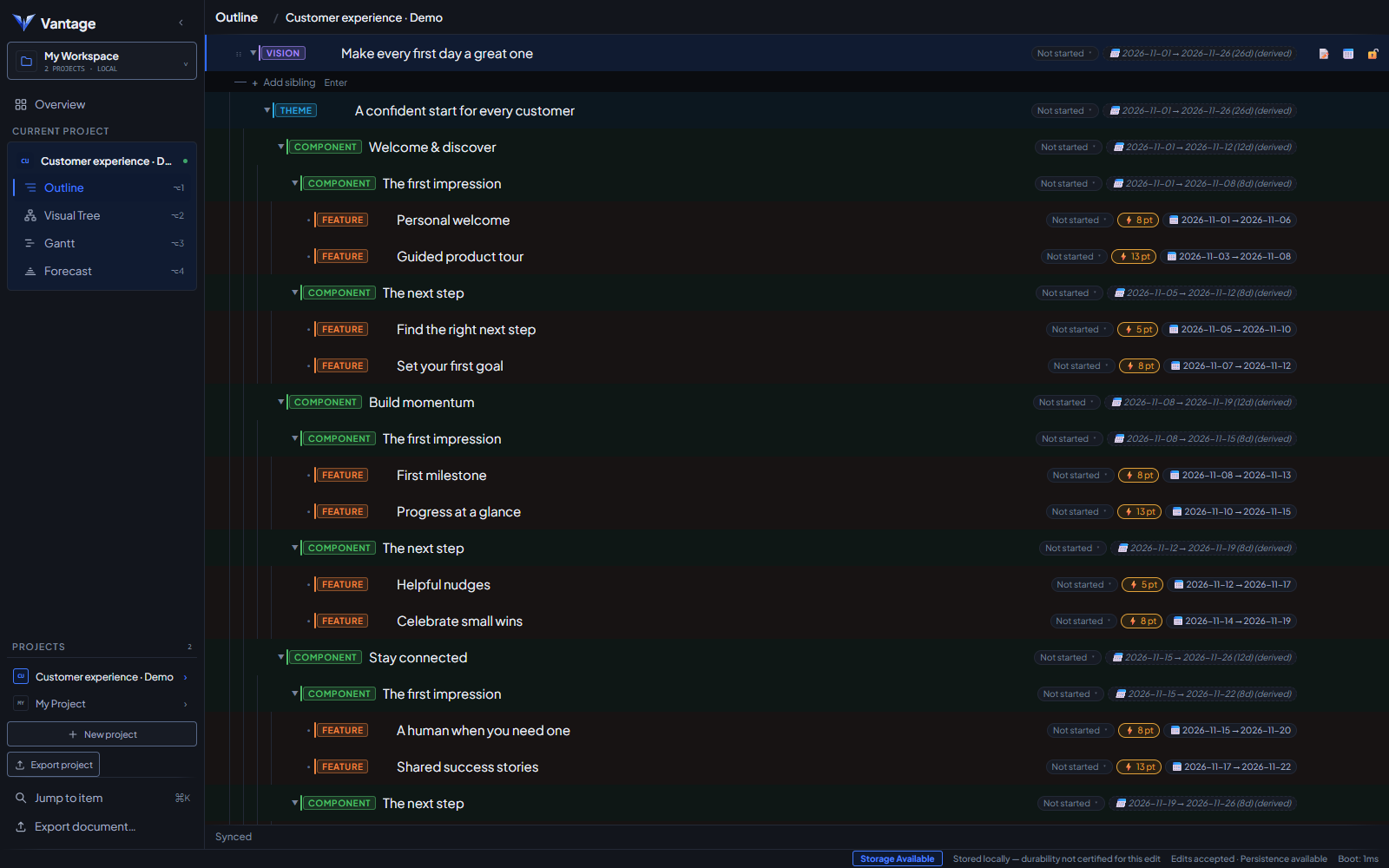
An outline you type straight into.

Structure is optional. Add themes, components, and features as your thinking takes shape.

↗
02

Instead of the roadmap slide you redraw every month

A tree and a Gantt drawn from the plan.

Change the plan and they follow. Dependencies and date conflicts stay visible.

↗
03

Instead of the brief buried in a wiki

The thinking lives on the feature.

The brief, acceptance criteria, open questions, and decisions stay with the work they describe.

↗
04

Instead of the delivery estimate in a side spreadsheet

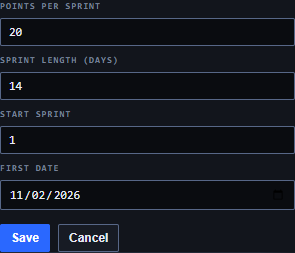
A forecast from scope and capacity.

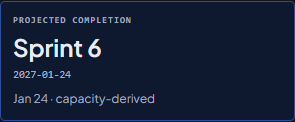
See the projected finish with the math shown, and compare scenarios before you commit.

↗
05

Instead of the status deck

Slides and documents from what’s on screen.

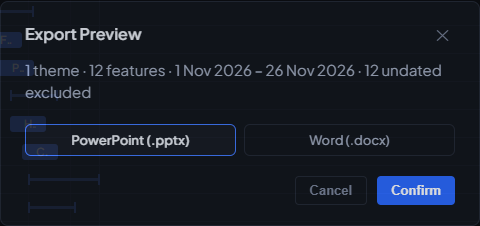
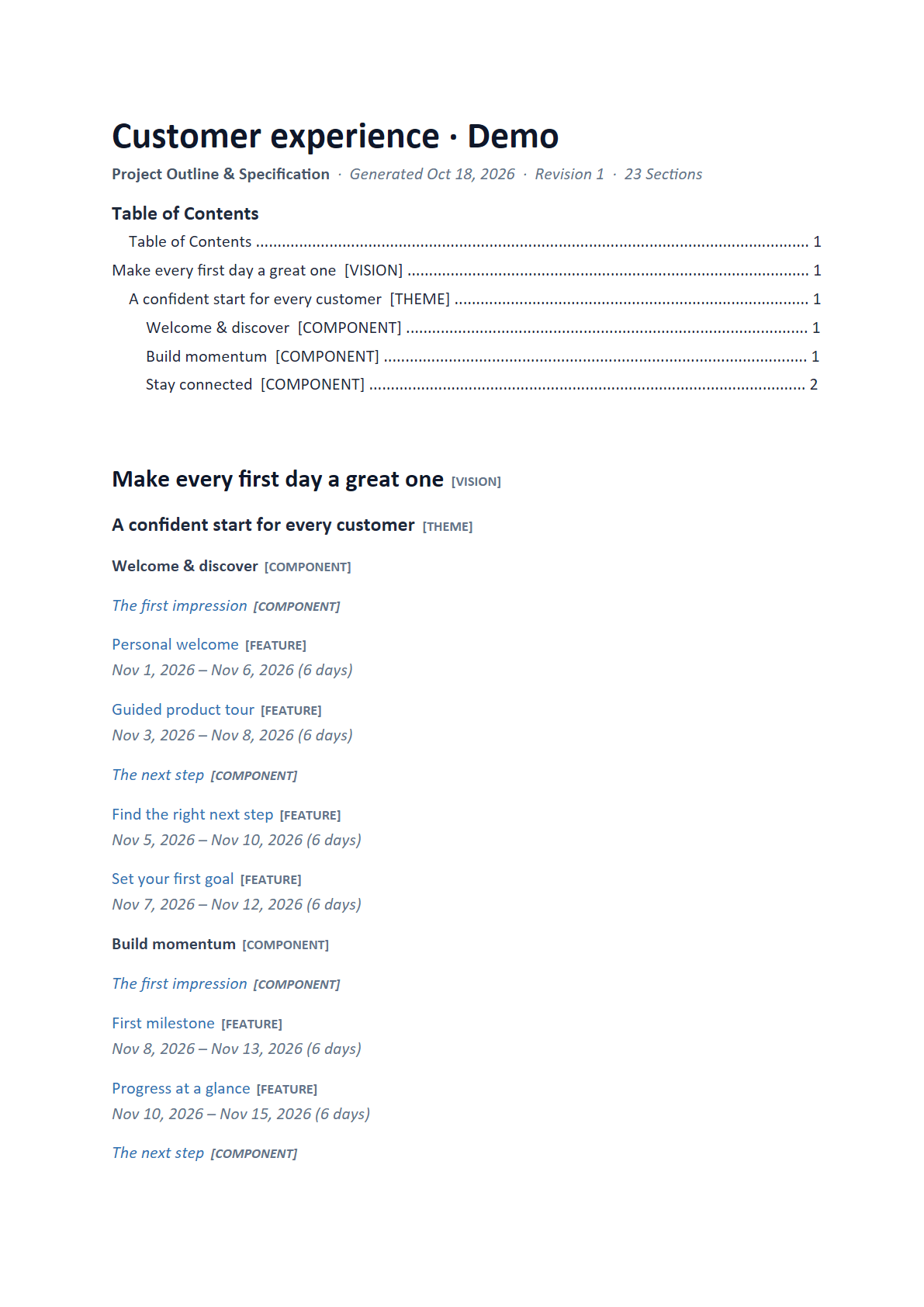
Export the Gantt to PowerPoint or the outline to Word. Plan changed? Export again.

↗
04 / THERE’S MORE BEHIND EVERY NODE

Small on the map.
Rich in detail.

Write the brief where you plan the feature: acceptance criteria, open questions, decisions, and what it unlocks, all in one place. When someone asks for a document, export it from the inspector.

Shown: the Brief tab on “Personal welcome”, with its properties and one-click Word export.

05 / A BETTER CONVERSATION ABOUT WHEN

What if the
plan changes?

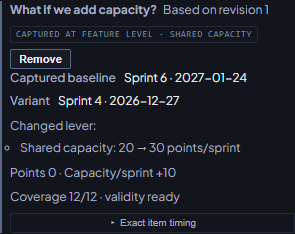
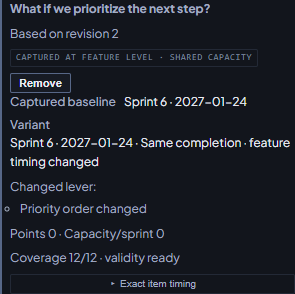
Move a feature up the list. Give the team more capacity. See how the delivery picture shifts without touching the live plan, then bring the comparison into the room.

Uses the demo plan from the forecast: 102 points, with capacity going from 20 to 30 points per sprint.

SCENARIO LABILLUSTRATION
Move the next priority forward.

Move Find the right next step to the top of the list.

TEAM CAPACITY20 points / sprint
SPRINT123456
Baseline
6
Scenario
6
Exploring an alternativeSame scope. A different sequence.

06 / YOURS BY DEFAULT

Your plan stays with you.
Share it when you choose.

ONE PLAN. EVERY PERSPECTIVE.

Plan the build.
Have the story ready.

Keep the plan in one place and spend your energy on what comes next.

Explore the demo ↗Sample project · Runs in your browser · No sign-up

Product screenshot

Actual app · Sample project. Scroll to inspect the screen.